Dashboard
Admin View as Luke Preview portal ↗ Change password Sign out
You're viewing the dashboard as Luke & Levi (Company) see it — owner-only tools are hidden.
Back to your view
Signed in as — .
Dashboard Insights Leads Homes & Lots Library Subscribers Activity Campaigns Email Library Ads Team Vault Settings
Welcome back Your day at a glance — tap a number to jump in.
Overview
—
New leads · 7 days
—
Newsletter signups
—
QR scans · total
—
Needs attention
Quick actions
View leads
Homes & Lots
Marketing library
Post a New Drop
Send a campaign
Website traffic Live from monogrambuilt.com — views & visits over time, time on page, where visitors come from, and where they go next. First-party, no cookies, no third-party trackers.
Live
Master Log Every action on the website and dashboard — who did what and when. Homes, photos, map lots, logins, leads, signups, requests, broadcasts, documents. Searchable, filterable, newest first.
Audit trail
Activity & History Every lead, inquiry, newsletter signup, home submission and request — searchable, filterable, timestamped. Newest first.
Command center
Asset Library The full marketing set, organized by community. Pick a folder on the left. Use + Add asset to upload; hover a file you've added to delete it. Agents see the same assets in their portal.
Live gallery
QR Codes Codes for every page, organized by community. Each has three downloads: Branded (navy + logo), Black , and White (both plain, transparent background). Black scans anywhere; White is for dark backgrounds.
Print & signage Monogram
Monogram Homes
— scans
University Place
University Place
— scans
Harvard
— scans
Stanford
— scans
Oxford
— scans
Cambridge
— scans
Princeton
— scans
Yale
— scans
Cornell
— scans
Purdue
— scans
Berkley
— scans
Crown Reserve
Crown Reserve
— scans
Thayer Farms North
Thayer Farms North
— scans
Cedar Park
Cedar Park
— scans
Whiskey Jack
Whiskey Jack
— scans
Floor Plans — Thayer · Cedar · Crown Reserve
Sheridan
— scans
Carson City
— scans
Lexington
— scans
Cody
— scans
Kensington
— scans
Amarillo
— scans
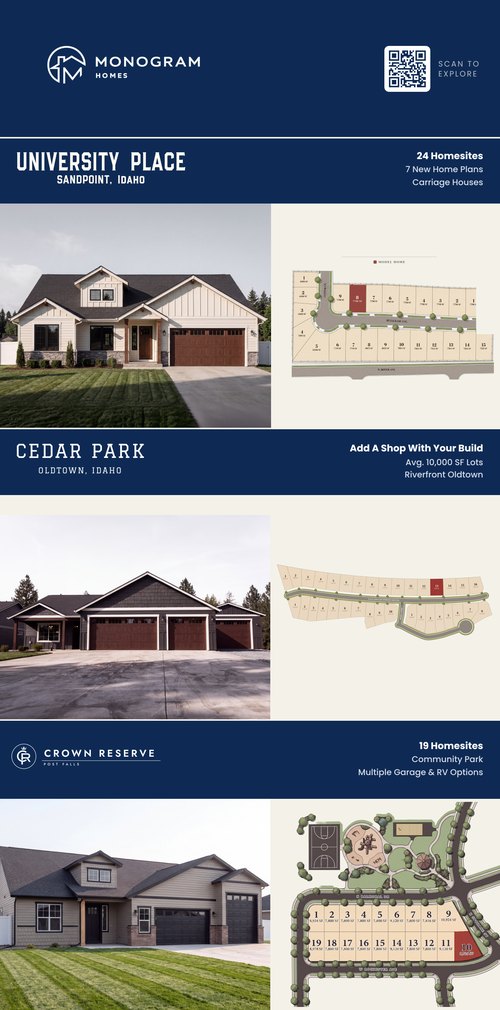
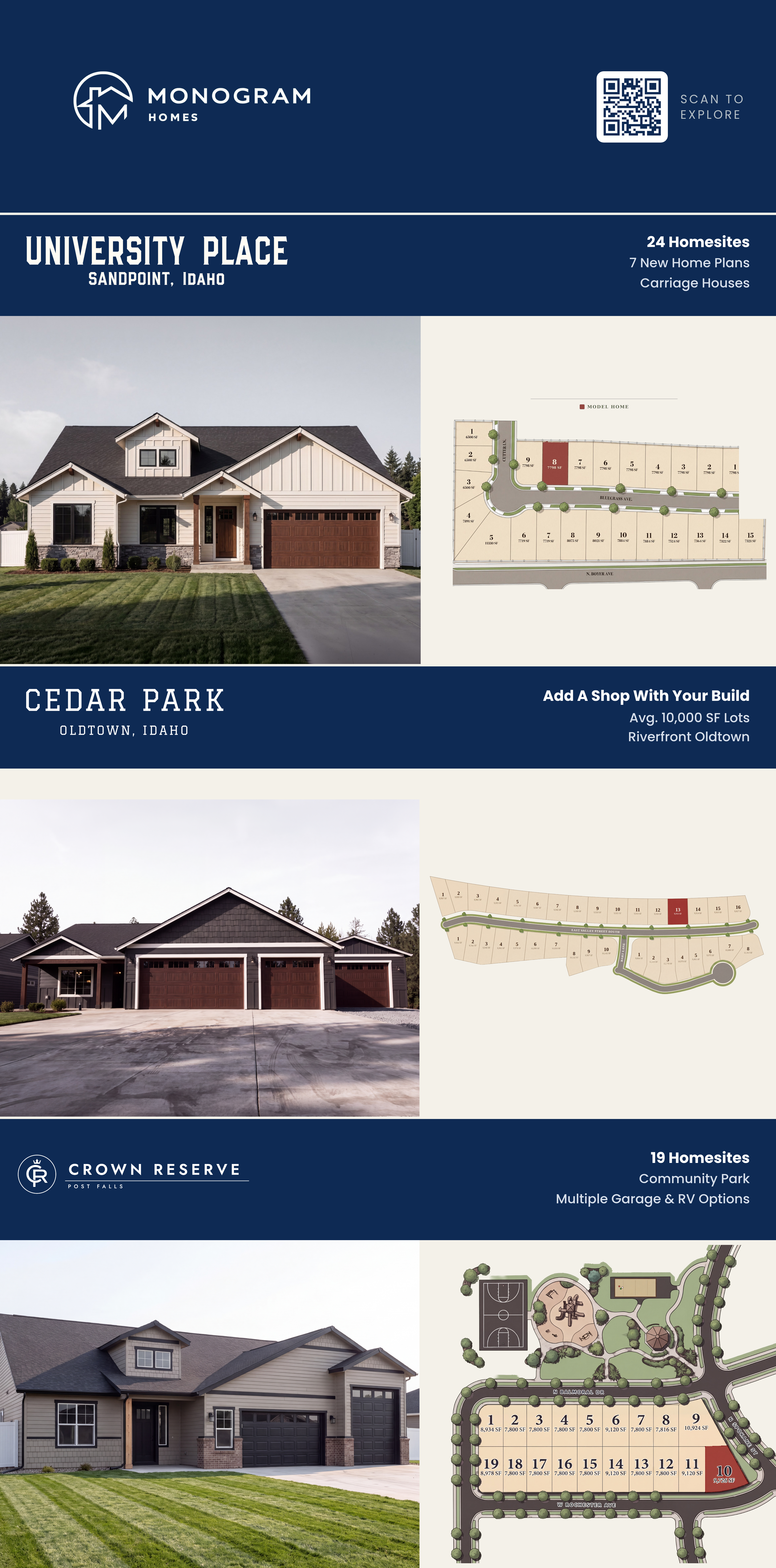
Print Ads Ready-to-send newspaper & magazine ads at print resolution. Each has a PDF (send to the paper) and a PNG (quick preview).
Print-ready
Tri-Community — 4.95″ × 10″
University Place · Cedar Park · Crown Reserve
Access requests New agents who registered and need your approval before they can sign in. Approve here and they're in.
You approve
Submit a move-in-ready home Add a home with photos and details. It drops straight into Chris's build queue.
Goes to Chris to build
Send Chris a general message
Send message
Homes you submit land in Chris’s review queue. He’ll get them built into the website and reach out with any questions.
University Place — lots Mark a lot Available, Pending, or Sold. The community map updates live for everyone.
Live on the map
Crown Reserve — lots Mark a lot Available, Pending, or Sold. The community map updates live for everyone.
Live on the map
Cedar Park — lots Mark a lot Available, Pending, or Sold. The community map updates live for everyone.
Live on the map
Move-In Ready Homes Add a home here and it instantly gets its own card and page on the website — no waiting. Edit or remove any time.
Live on the site
Team home updates Homes Luke and Levi sent in, waiting for you to build onto the site.
From Luke & Levi
Leads Everyone who reached out or got matched through the website. Filter by community to see just that development’s buyers.
Newsletter signups Emails collected from the site. Tap Copy all to drop them into a campaign.
Copy all emails
Asset requests Agents asking for a specific file that isn't posted yet.
Visitor Questions What people type into the “Ask us anything” box. Unanswered ones show what to add next.
Live
New Drop — notify partners Post a headline and agents see a Just Added alert when they open the portal.
Shows in the portal
Partners & team Add an agent, reset a password, or remove someone. Adding or resetting opens a ready-to-send email with their login.
Access level
Partner — browse and download assets only
Company — full back end like Luke (no email campaigns)
Add account & email login
Auto-generate password
Your Vault Private files only you can see — never shown to the team or agents.
Owner only
Email campaigns Send Monogram announcements to your subscriber list — then track opens, clicks and unsubscribes right here.
— Open & click tracking Until all three are green, every campaign will keep reading 0% opens and 0% clicks.
—
Templates Preview any design, or start a send — test to yourself first.
Just Launched
The New Monogram Website
Announcement · all subscribers
Reserve Now
Crown Reserve — Reserve Now
Post Falls · lot reservations
Now Selling
University Place — Now Selling
Sandpoint · 24 homesites
Now Selling
Cedar Park — Now Selling
Oldtown · 34 shop-ready homesites
Now Available
Crown Reserve — Now Available
Post Falls · available floorplan
Available Now
Move-In Ready Homes
Thayer Farms North & Cedar Park
Evergreen
What Comes Standard
Standard features · all subscribers
Event
2026 Parade of Homes
University Place · September
Tool
The Garage & Shop Tool
Configurator walkthrough
Campaign history Every send, with opens & clicks.
No campaigns sent yet — your send history and open/click rates will show up here.
Email library Your campaign templates. Preview any design, or send it straight from here — test to yourself first.
—
Ad library Every Monogram print ad, print-ready. Preview it, or download the PDF to send for placement.
— Guides & flipbooks Interactive, page-flip booklets. Open to view, or copy a link to share with a buyer.
—
Settings Your account and dashboard preferences.
Account
Signed in as —
Change password
Email sending
Resend: Not connected . Open the Campaigns tab to finish setup.